JobFlow
A free Windows app for keeping track of job applications, interviews, and follow-ups.
Download for WindowsVersion 3.0.3 · Windows 10/11, 64-bit · 68 MB
Run the installer, then open JobFlow from the Start menu. No administrator access required.
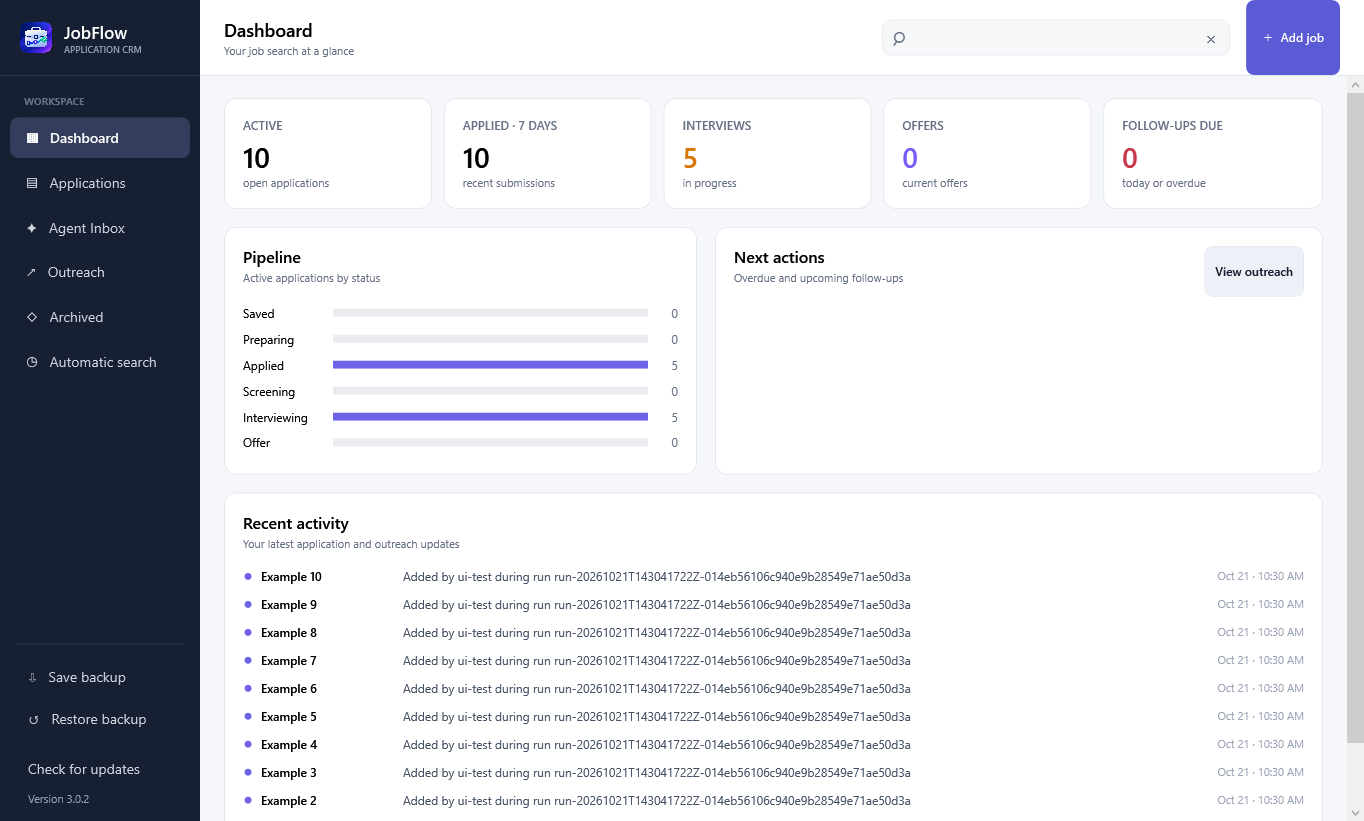
Keep your search organized.
Save the role, company, posting link, and notes for each job. Update its status as you apply, interview, and hear back.
- Applications and interviewsSee what’s active, what you’ve applied to, and where you’re waiting for a response.
- Contacts and follow-upsLog outreach, keep contact details, and see which follow-ups are due.
- Local data and backupsYour records stay on your computer. Save a backup or export a CSV whenever you need one.
Using JobFlow
Does it need an account?
You can track applications without an account. Optional automatic job searches use a connected ChatGPT account. They send your resume text and search preferences to OpenAI and depend on your account’s model access and usage limits.
How do updates work?
JobFlow checks for a new version when it opens. You can also select “Check for updates” in the sidebar. When an update is available, download the new installer, close JobFlow, and run it. Your saved applications remain in place.
Where is my data saved?
By default, JobFlow saves your applications in your Windows user’s local app data folder. Updates and uninstalling the app leave this data in place. Use “Save backup” in the sidebar to keep a separate copy.
Which computers can run it?
JobFlow runs on Windows 10 and 11, 64-bit. The download includes the .NET runtime. The installer is signed by Kronetho LLC. A Mac version is not available.
Support JobFlow
If JobFlow helps with your search, you can leave an optional tip.